Social Media Storytelling Guide
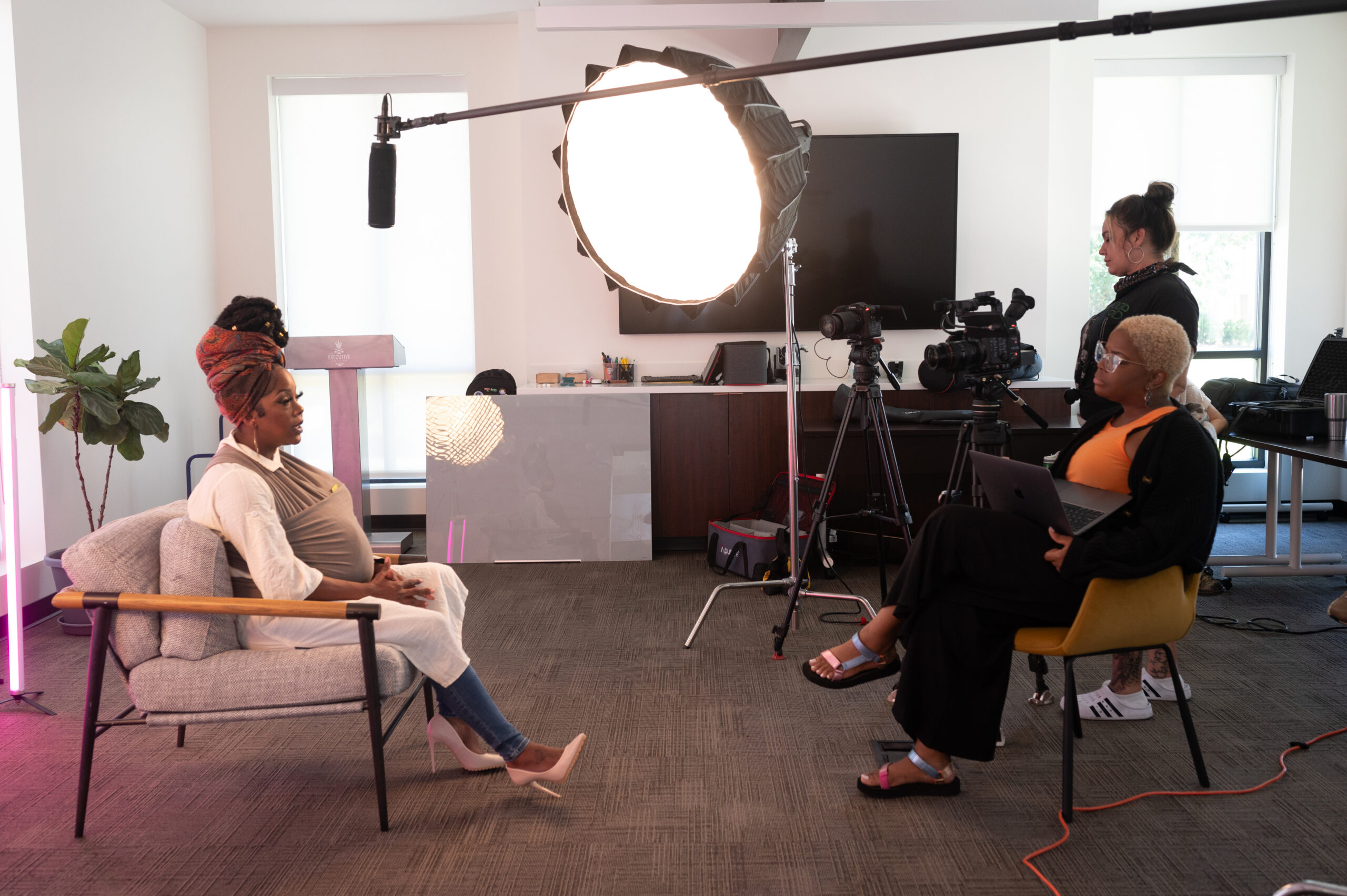
Your story matters. Sharing it on social media can:
✔️ Inspire people who already support abortion rights to take action.
✔️ Reach people who aren’t sure where they stand—and help shift their perspective.
Personal story videos create a powerful emotional connection, making the impact of abortion bans immediate and real.
This guide includes simple tips and resources to help you record and share your story from wherever you are, on your own terms. If you are looking for this guide in Spanish, please click here.
Step 1: Check in with yourself
Before recording, take a moment to ask:
- Am I feeling grounded today?
- Do I feel ready to share this publicly?
- What do I want to keep private?
If you haven’t shared your experience yet, try talking it through with a friend or journaling first.
Remember: You are always in control of your story. You decide what to share, what to leave out, and whether to share publicly at all.
Step 2: Plan your story
Use the following prompts to help shape what you want to say:
- How have abortion bans affected your life?
- What do you wish people understood about abortion?
- What’s one moment you can picture clearly (something you saw, heard, or felt during your experience)?
- What surprised you about your experience?
- What do you want people to understand about abortion bans now?
Tips
- Write down your boundaries: What do you not want to share?
- Keep it personal and honest.
- Focus on the real-life impact on you.
- Remember that many people are coming across your story without deep knowledge of pregnancy, medical terminology, or their own state’s abortion laws (let alone others).
- Short and simple is powerful.
- If it helps, write a script (example below).
Think about your audience
Imagine you’re talking to one person you trust. Stay close to what happened, how it felt, and what you want people to understand.
Example Script:
MEGAN KLING, Wisconsin
I am probably your average Midwest mom. (HOOK)
I was naive to think that the abortion restrictions would never affect me, until they did. (Intro)
We were pregnant with our third child in the summer of 2023. (Provide context about when this happened)
It wasn’t until the 20-week anatomy scan where we had learned something was very wrong. (Build to peak of story)
And we were given the devastating news that our baby was not compatible with life. (Peak)
[Wisconsin bans abortion after 20 weeks of pregnancy. So Megan and her husband were forced to seek care in Minnesota.] (Text on screen if needed for context)
My husband and I made a choice that we never imagined we could make, and that was to end our pregnancy. (Resolution)
Going through this experience has truly opened my eyes to all the complexities that can come along with pregnancy. (Make it personal)
I want people to understand that even the choice to be induced and naturally deliver is still considered an abortion. (What you want people to know about abortion bans)
Step 3: Film your video
- Hold your phone vertically if you are filming for Instagram Reels, TikTok, or Facebook.
- Film in a quiet, well-lit space, ensuring that the light source is shining on your face rather than illuminating you from behind.
- Aim for about one minute and 30 seconds in length, and no longer than three minutes. Look directly into the camera.
- Speak clearly and at a steady pace. If you think you’re speaking too slowly, you’ve probably got it just right.
- If it helps you to stay on track, use a script or an app like CapCut that can provide scrolling text.
Privacy tips
- Avoid identifiable backgrounds (street signs, workplace items, kids’ faces).
- Consider whether to use your full name.
- If you do not want people to be able to comment on your post, make sure your comment settings are turned off.
Step 4: Edit your video
- Use a simple editing app like CapCut, Instagram, or TikTok. Once finished, download and save the video to your phone or computer so you don’t lose your edits.
- Add captions: Most social media apps have a built-in tool to add captions to your video before you post. This is helpful, since many people watch video on their phones with the sound off.
- Trim and adjust: Remove pauses or mistakes.
(Optional) Add background music and use platform-recommended sounds to boost visibility.
Step 5: Share your video
Post on these platforms:
- Instagram (Feed or Reels)
- Threads
- TikTok
- YouTube (for longer versions)
We’d love to see what you post!
- Email our Social Manager at [email protected] to share your post with us or share your story here: AbortionInAmerica.org/share-your-story
Tag Abortion in America in your post:
- Tag @AbortionInAmerica so we can amplify your story.
Platform-specific caption tips:
- Instagram/Facebook: Write a detailed caption with personal reflections.
- TikTok/Reels: Keep it short, impactful, and straight to the point.
- X (Twitter)/Threads: Consider a text thread with the video as the first or last post.
Use these hashtags (Optional):
- #AbortioninAmerica
- #MyAbortionStory
- #[YourState]AbortionBan (e.g., #TexasAbortionBan)
Share in multiple formats:
- Post short clips as a series on TikTok and Instagram Reels (3 minutes or less).
- Upload a longer version on YouTube or YouTube Shorts
- 1:30 seconds or less on Facebook Reels
Reminder about Video Length:
- Keep it 1 minute 30 seconds or less for maximum engagement.
- Want to say more? Post follow-ups or stitch videos together!
Step 6: Check in with yourself
- Take a breath. Notice how you’re feeling. You can pause, edit, delay posting, or change your mind at any time.
- Reach out to someone you trust if you are feeling on edge.
- Decide in advance how much you will engage with comments. Respond to comments and messages only if you feel comfortable. Consider turning off or pausing notifications on your video.
- If you are feeling overwhelmed by the responses to your post, please reach out to the Abortion in America team and we will help you navigate the response.
Want to keep this information with you? Download a printable version of this guide here.